Step 2: Adding MediaConnect Outputs to other Regions
-
Back into the us-west-2 (Oregon) region, click on the distribution-flow. Select the Outputs tab. Click the Add Output button.
-
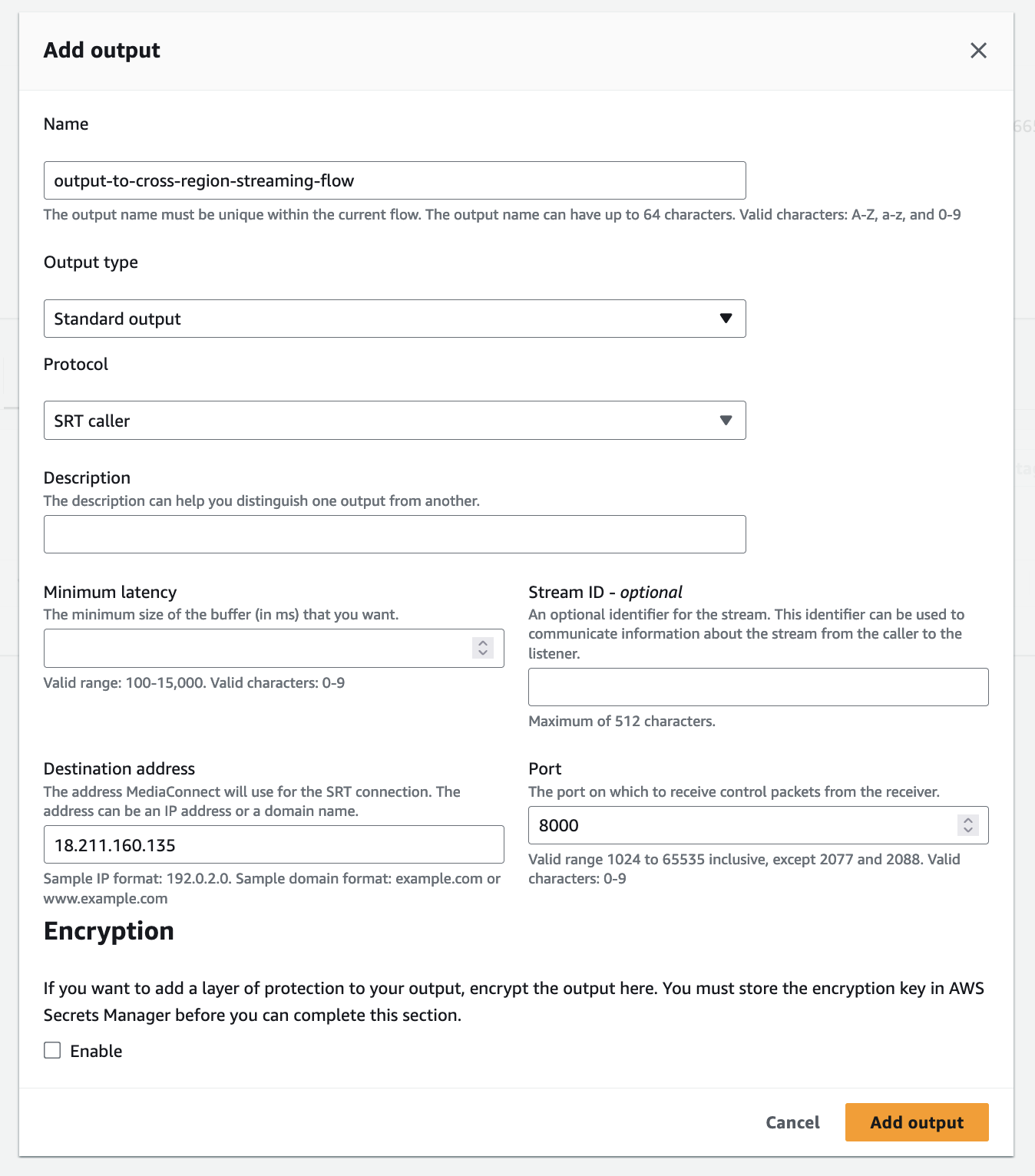
This output will be delivered to us-west-2 (Oregon) region, so call it
output-to-cross-region-streaming-flow. The Protocol will be “SRT Caller”, as we already configured the us-east-1 (N. Virginia) destination flow as SRT Listener. The Destination Address will be the MediaConnect Flow from the N. Virginia Inbound IP address. And the port, will be8000. Finally, click Add Output.
- The final state at us-west-2 (Oregon), should look like this:

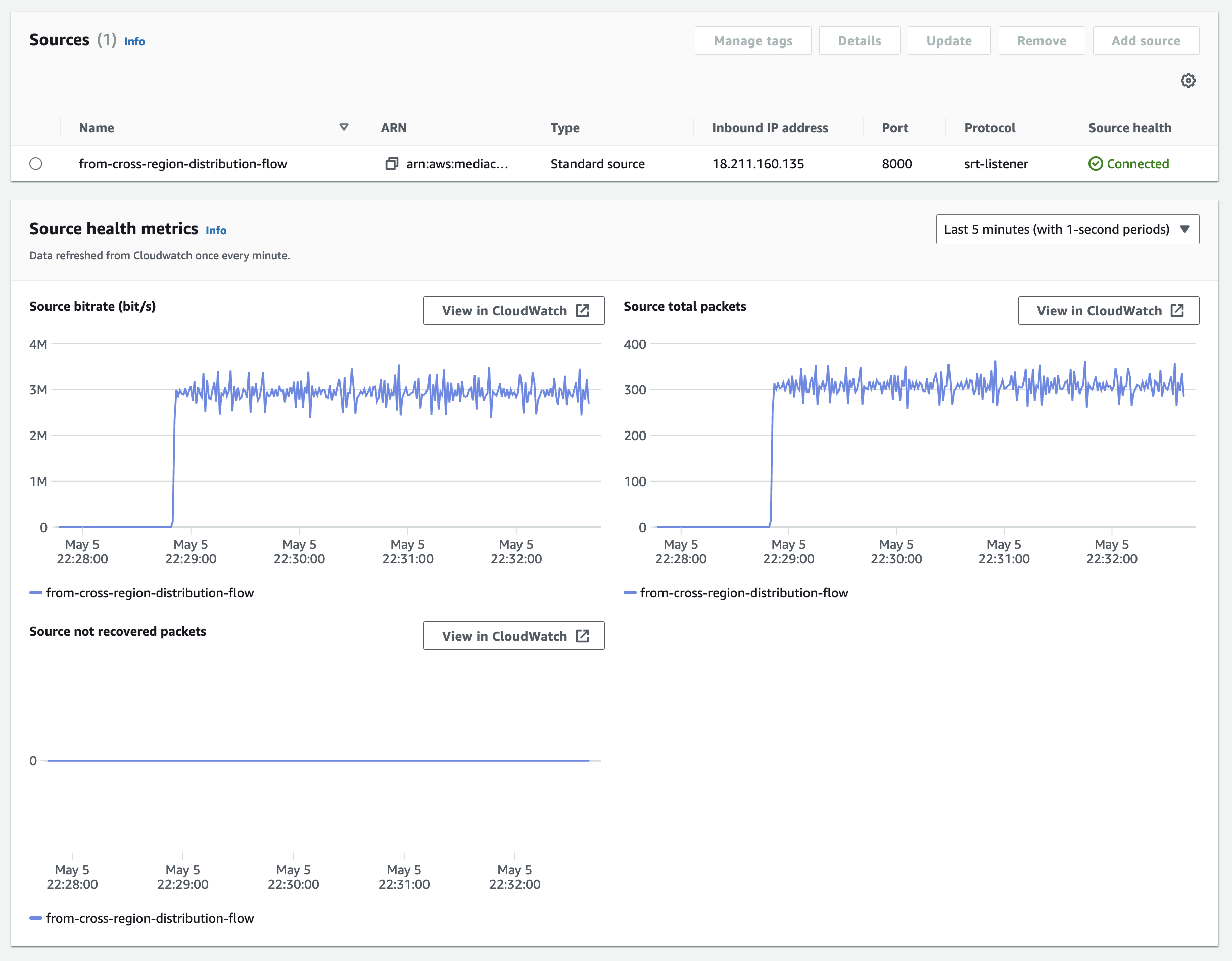
- Now, double check the us-east-1 (N. Virginia) region to see if the flow is connected. To do this, you must switch to the us-east-1 (Oregon) region at the top of the console page.
N. Virginia Console: